On the web now, coming to the apps
Frames give a note its shape.
A frame is a typed card you drop into a note: a Day planner, a Book & article summary, Cornell notes and eight more. Each has real fields, and AI can fill them from what Paper already has. You keep what you want; nothing is written until you do.
Frames are in Everyday Paper on the web. They’re coming to the Mac, iPhone and iPad apps.
The eleven
A frame for the things you keep coming back to.
Every picture is the app itself, with made-up notes. Each frame has a shortcut you can type on an empty line.
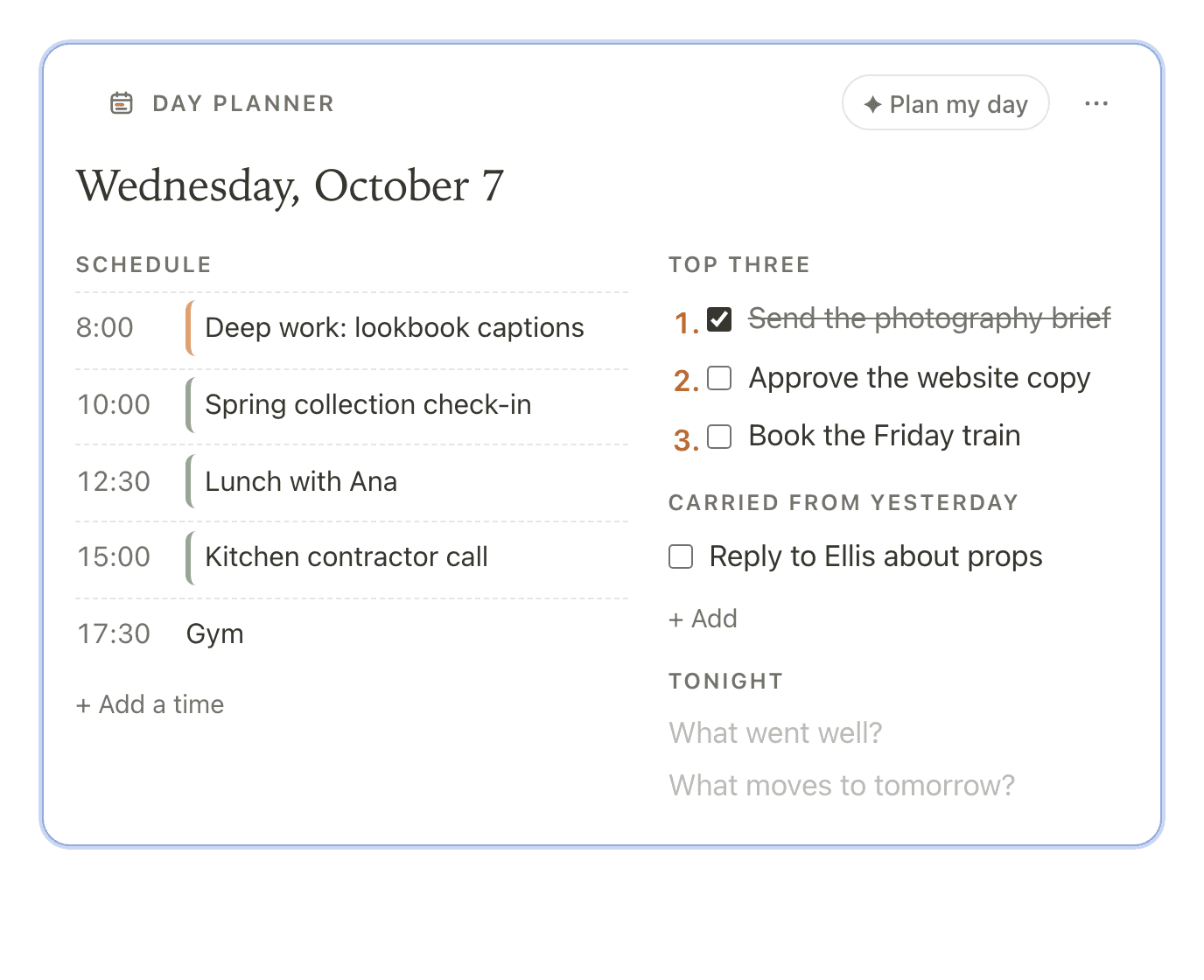
Day planner /day
The day by time from your calendars and due tasks, with a top three.
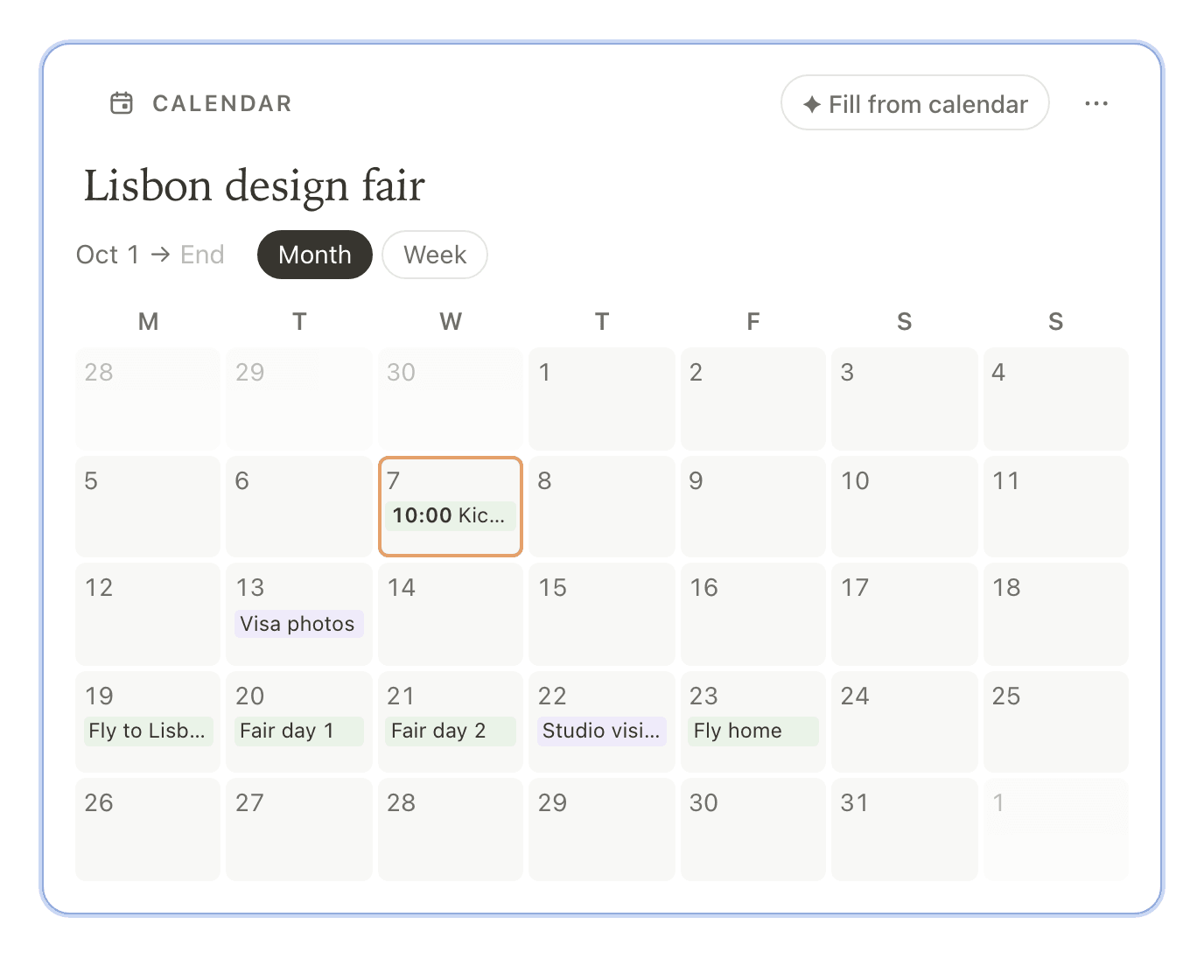
Calendar /calendar
A month or a week inside a note, for a trip, a launch or a schedule.
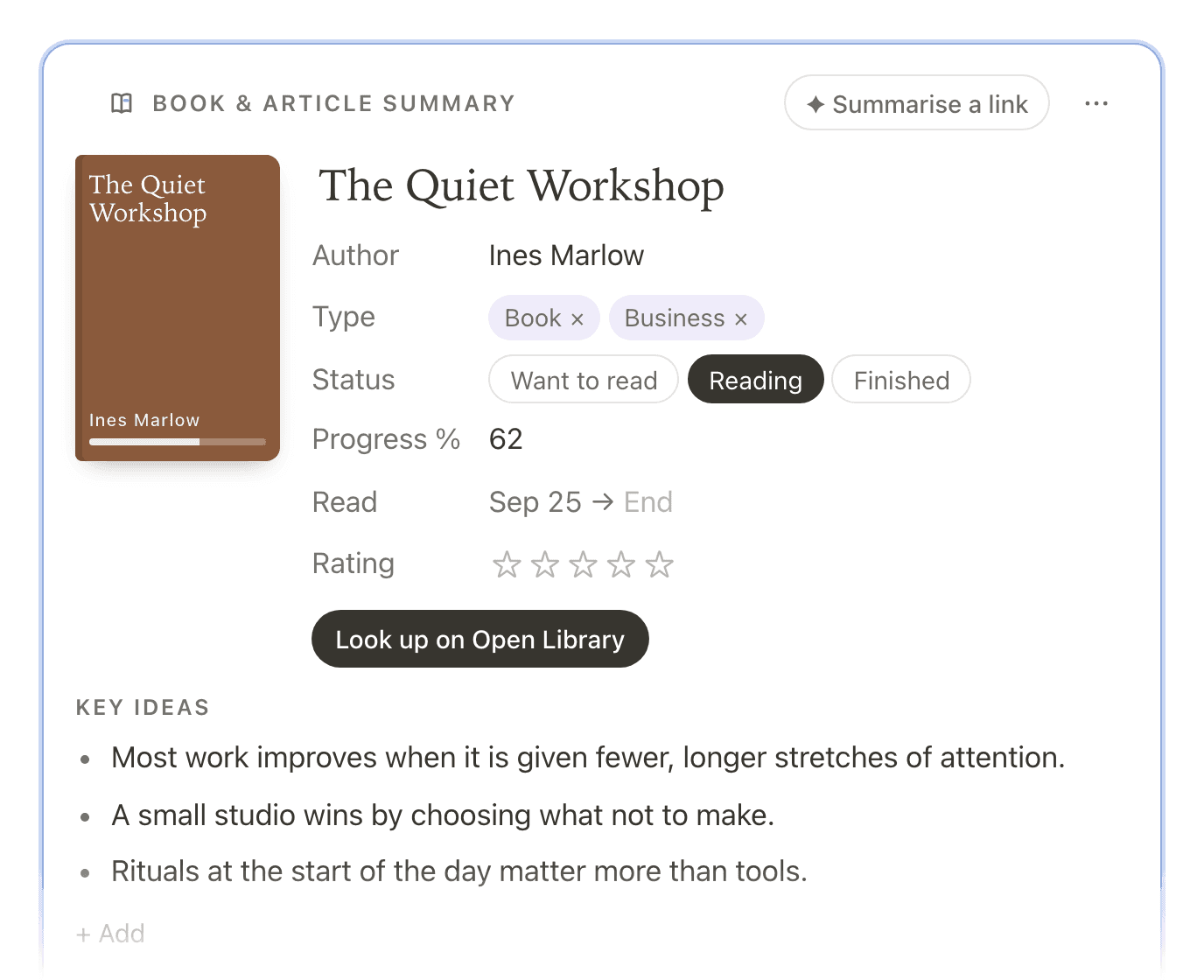
Book & article summary /book
Key ideas, quotes and your own takeaway, for a book, an article or a podcast.
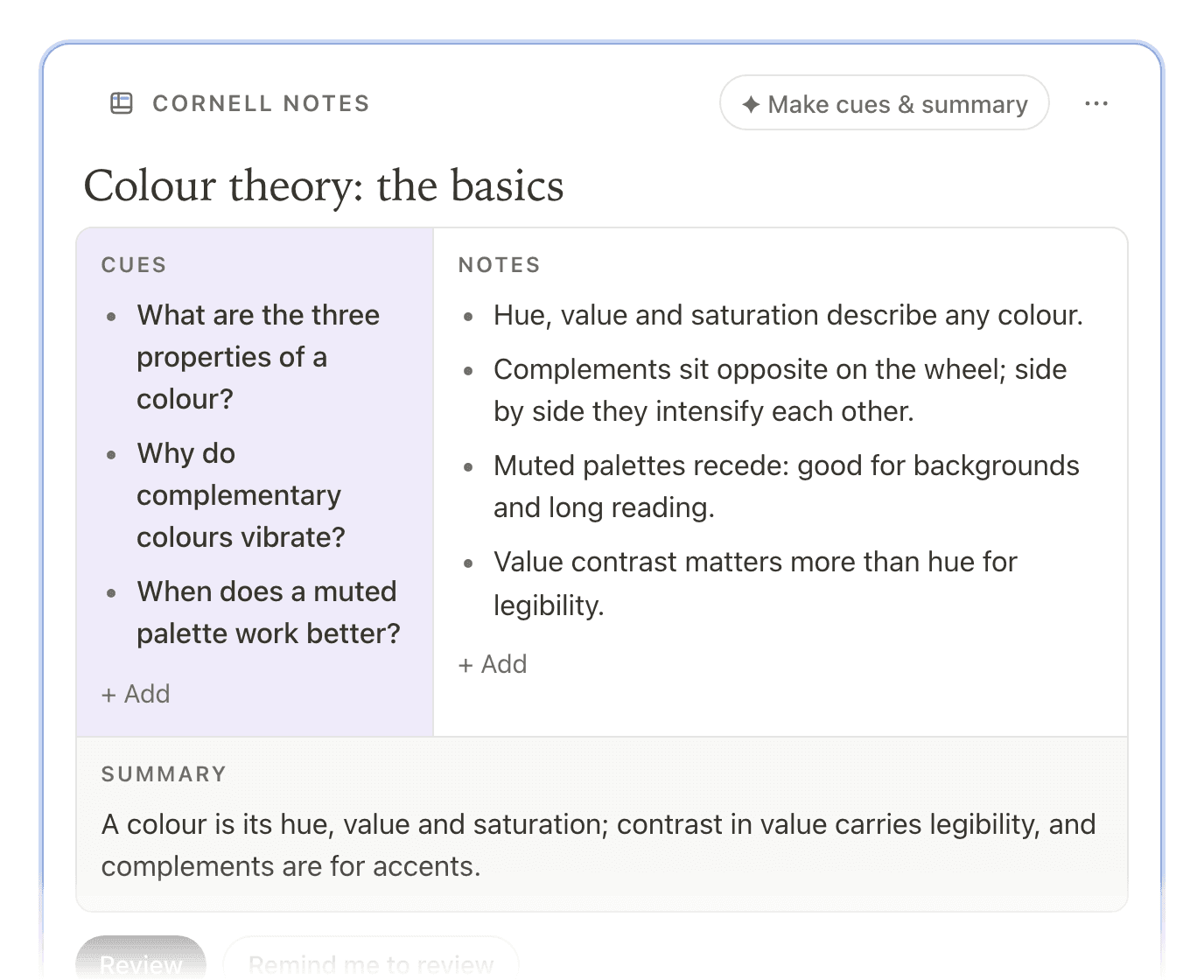
Cornell notes /cornell
Notes on the right, cue questions on the left, a summary below.
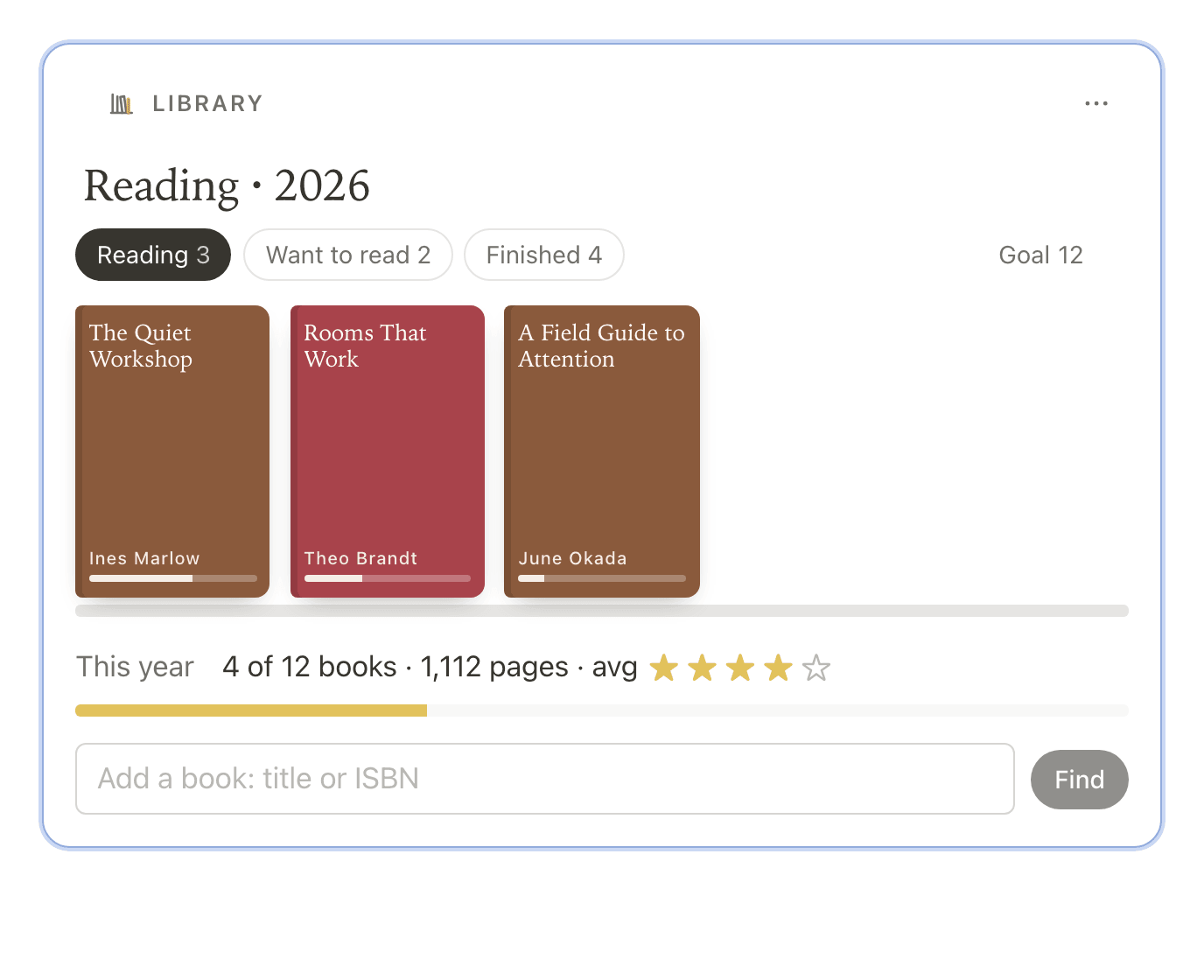
Library /library
A shelf of every book you note, with progress and a yearly goal.
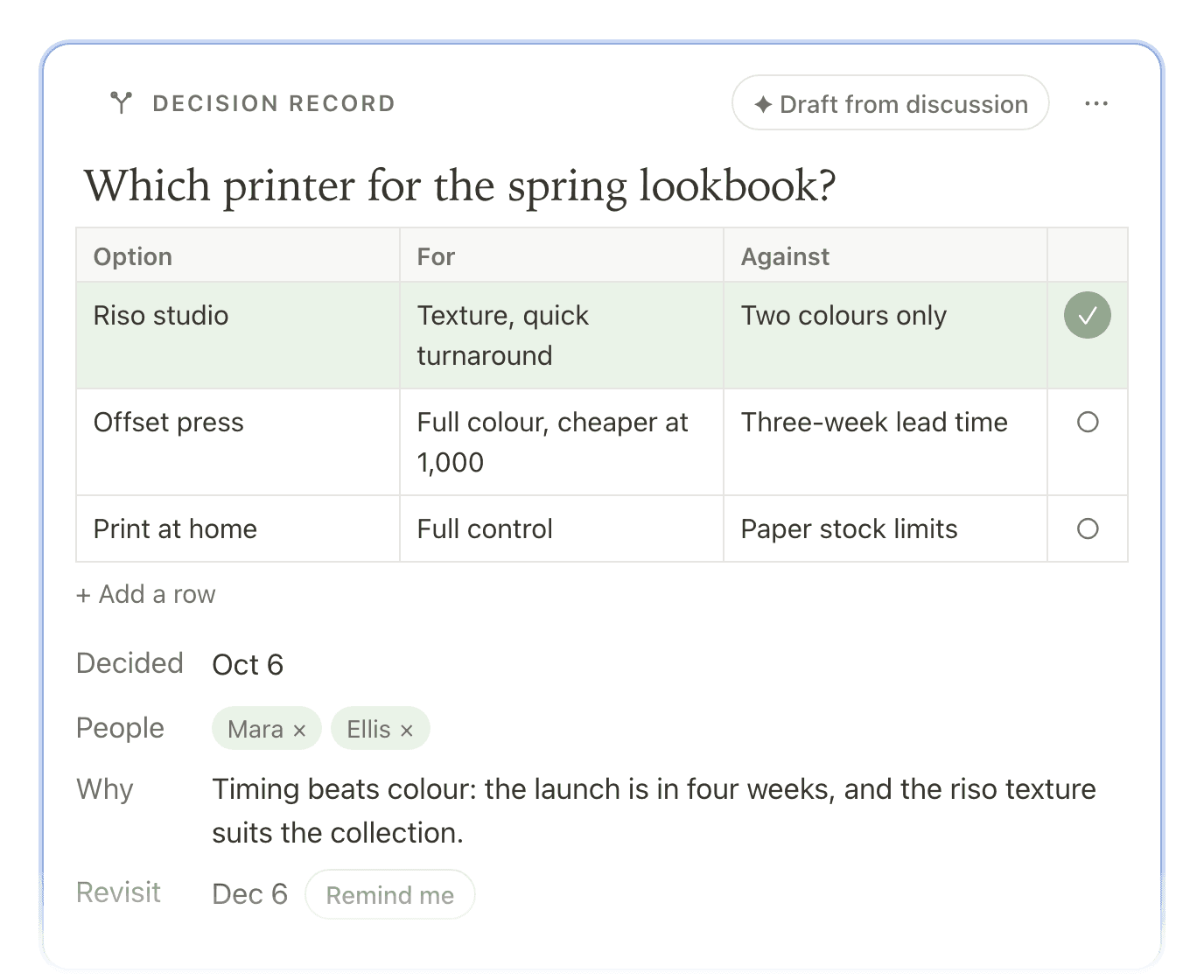
Decision record /decision
The question, the options weighed, what you chose and why.
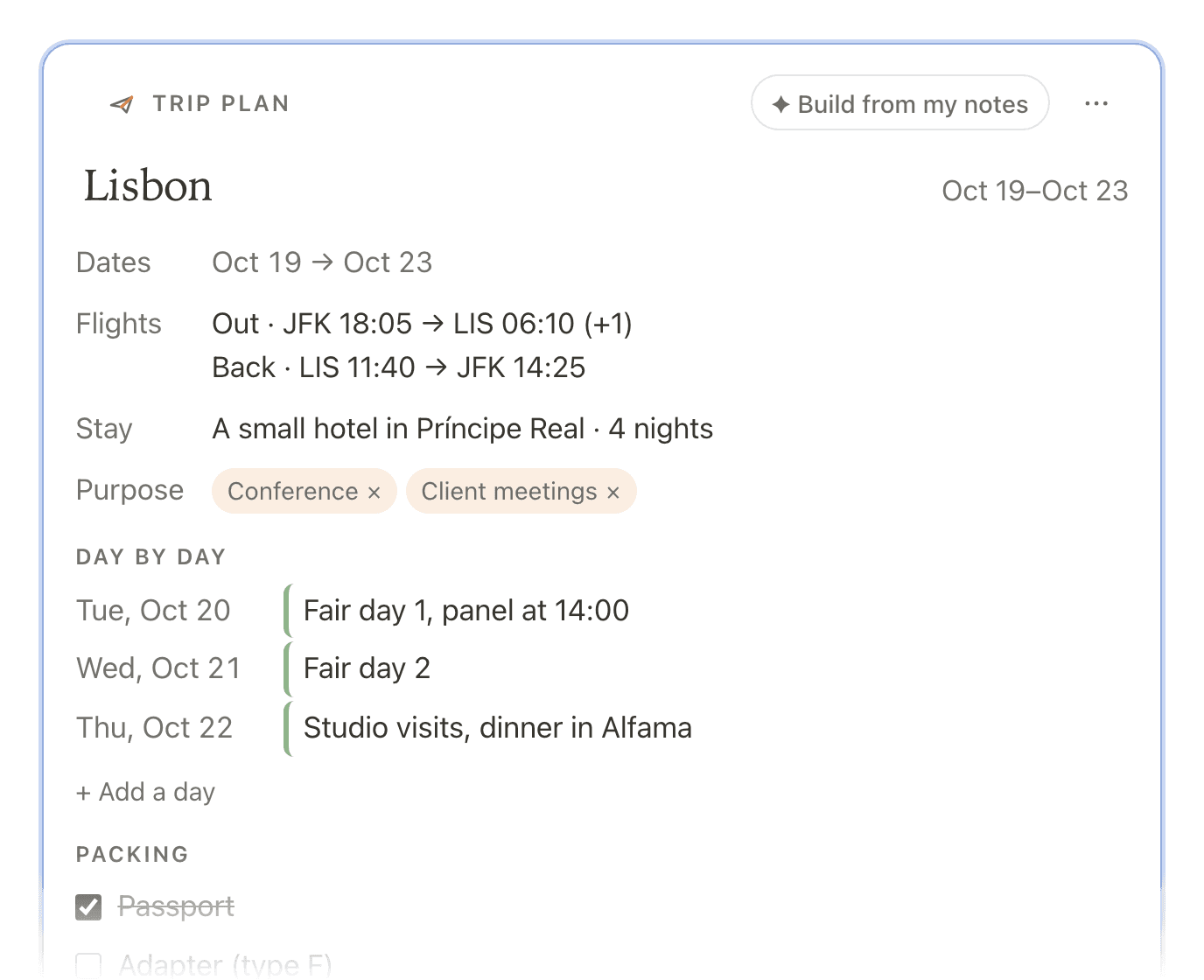
Trip plan /trip
Flights, the stay, a day-by-day plan and a packing list.
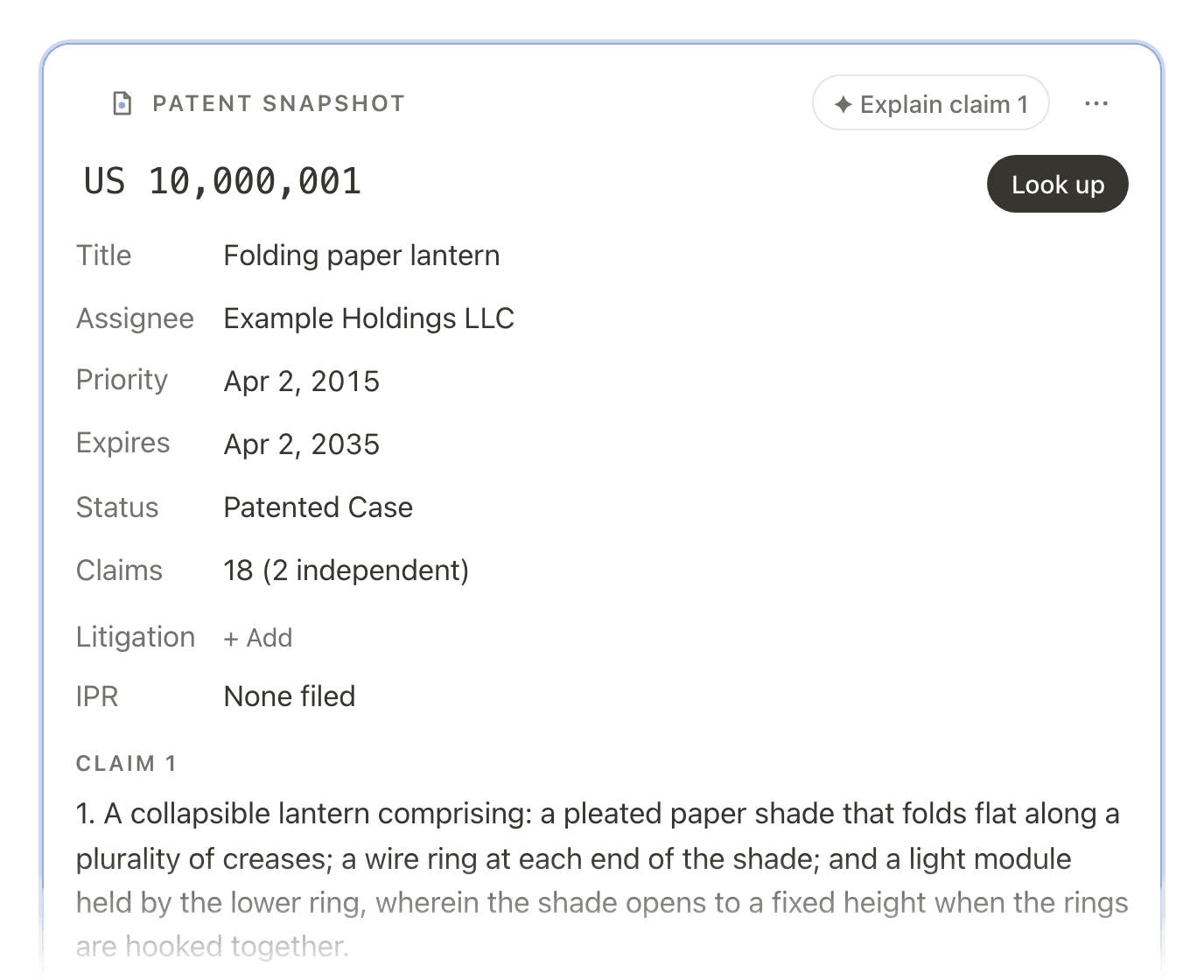
Patent snapshot /patent
Number, dates, claims and status, with claim 1 in plain English.
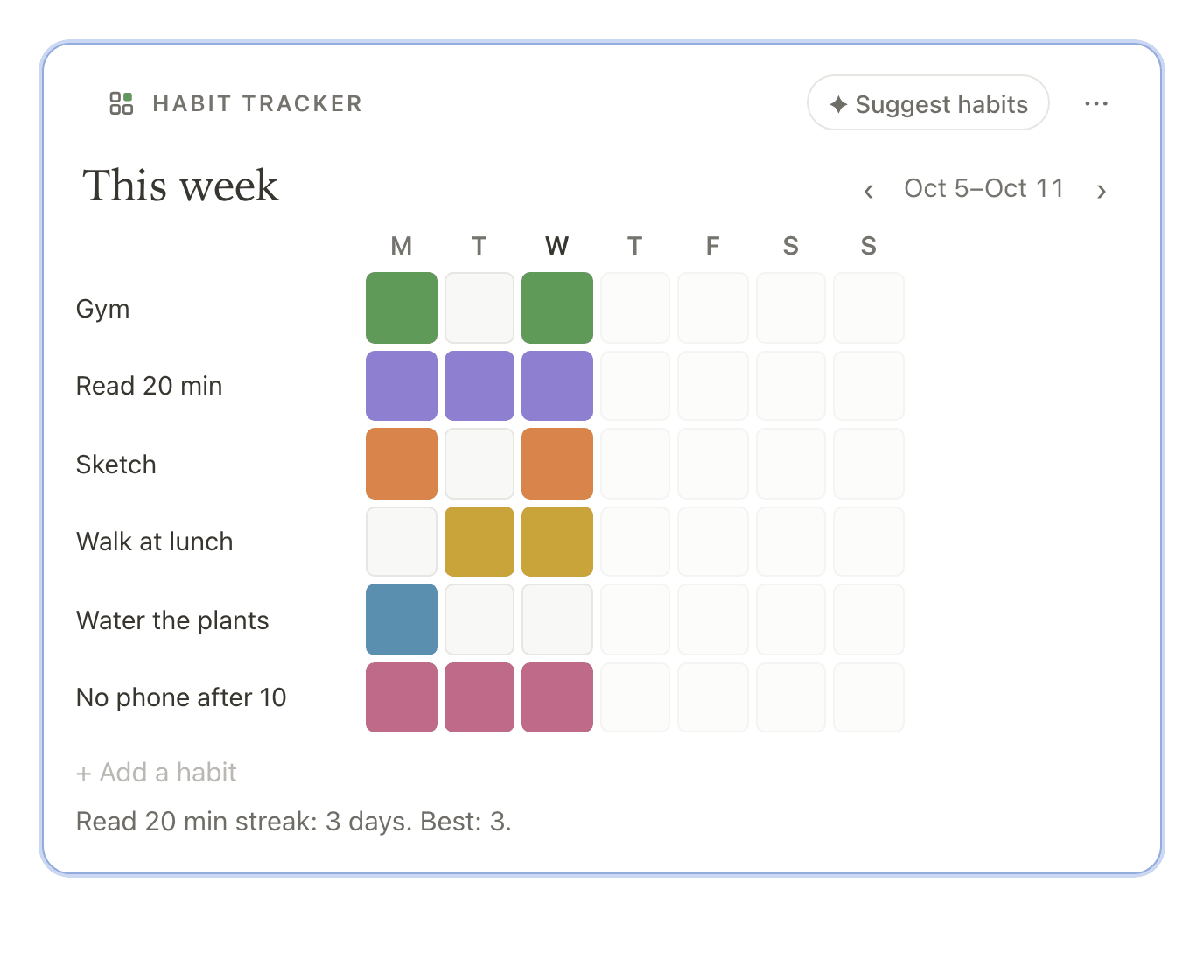
Habit tracker /habit
A week of squares to tick, one colour per habit, with streaks.
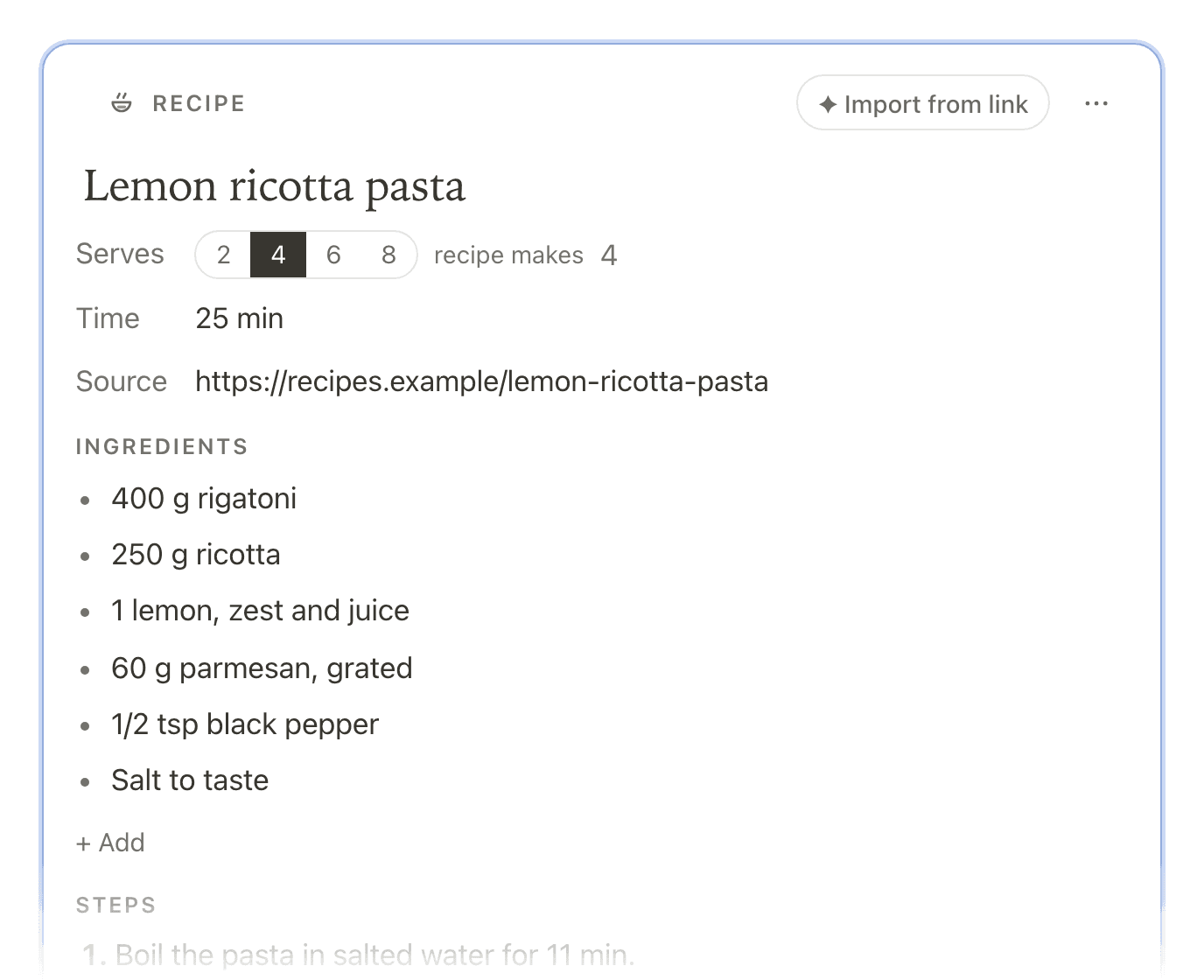
Recipe /recipe
Ingredients that rescale with servings, and steps with timers.
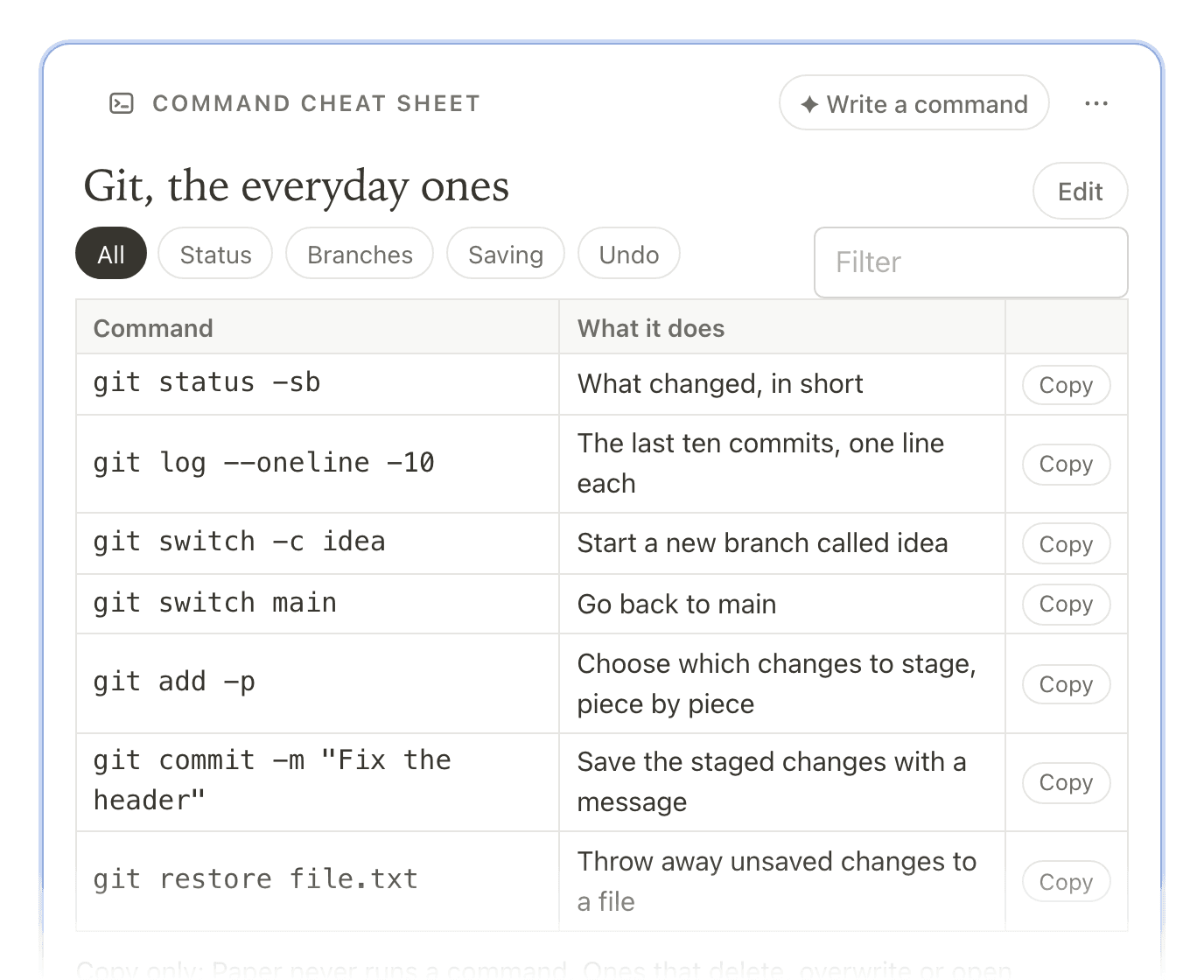
Command cheat sheet /commands
Commands by category, with copy buttons and ready-made sets.


AI fill
Suggestions you keep or discard.
Each frame knows where to look. Plan my day reads your calendars, the tasks due and what you left unchecked yesterday, then suggests a schedule and a top three.
- 1
One AI action per fill
Press the frame’s button, like Plan my day or Make cues & summary. One fill is one AI action, as Enhance is.
- 2
Highlighted, not written
Suggestions appear in place with Keep, Edit and Discard, or Keep all. Nothing reaches the note until you keep it.
Some fields stay yours
My takeaway, My view, a book’s rating and the evening prompts are never filled by AI.


Collections
Every frame of a kind, in one place.
Frames collect in the sidebar, whichever note they live in. Every book you note joins the Library shelf, day plans make a month, decisions make a log, and Cornell notes make a deck to review.
- The Library: Reading, Want to read and Finished, with pages read and a yearly goal
- Day plans, Calendars, the Decision log, Trips, Recipes and the rest
- Each frame still lives in its note, so nothing moves when you open it

Your own
Describe a frame, and it’s yours.
Say what you want to keep track of, in your own words: “wine I’ve tried, with the region, grape, price and a score”. Paper proposes a name, a look and the fields. Rename, retype, reorder or remove them, then make it.
- Proposing the fields is one AI action
- Thirteen kinds of field: text, dates, ratings, tags, checklists and more
- Your frame gets its own collection in the sidebar, and Fill from this note


Three ways in
Drop one into any note.
A note can hold several frames. Move one with its grip or ⌥⇧↑ and ⌥⇧↓; every field is a real input you reach with Tab.
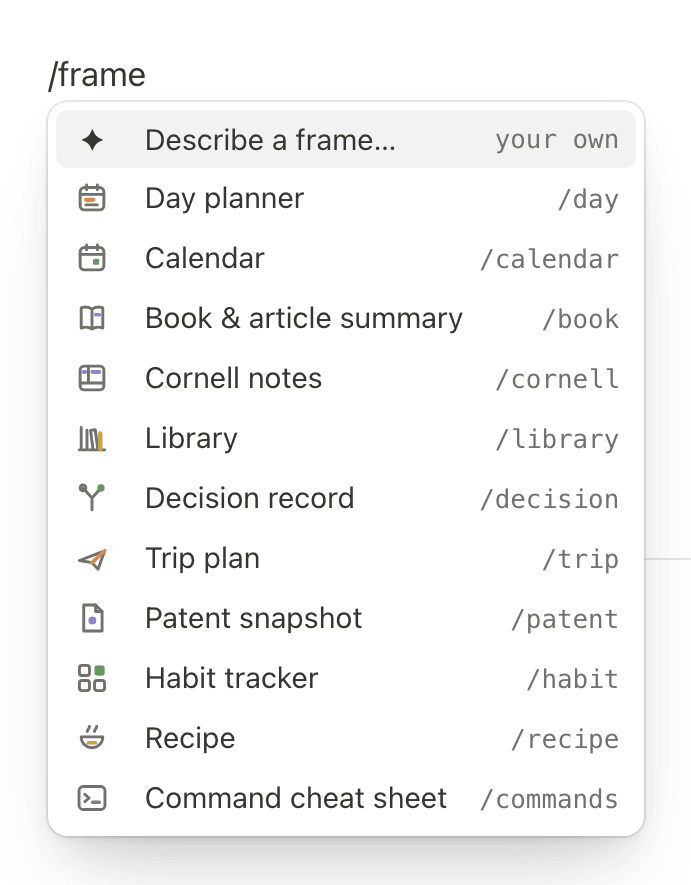
Type / on an empty line
Choose Frames…, or go straight to one:
/day,/book,/recipe.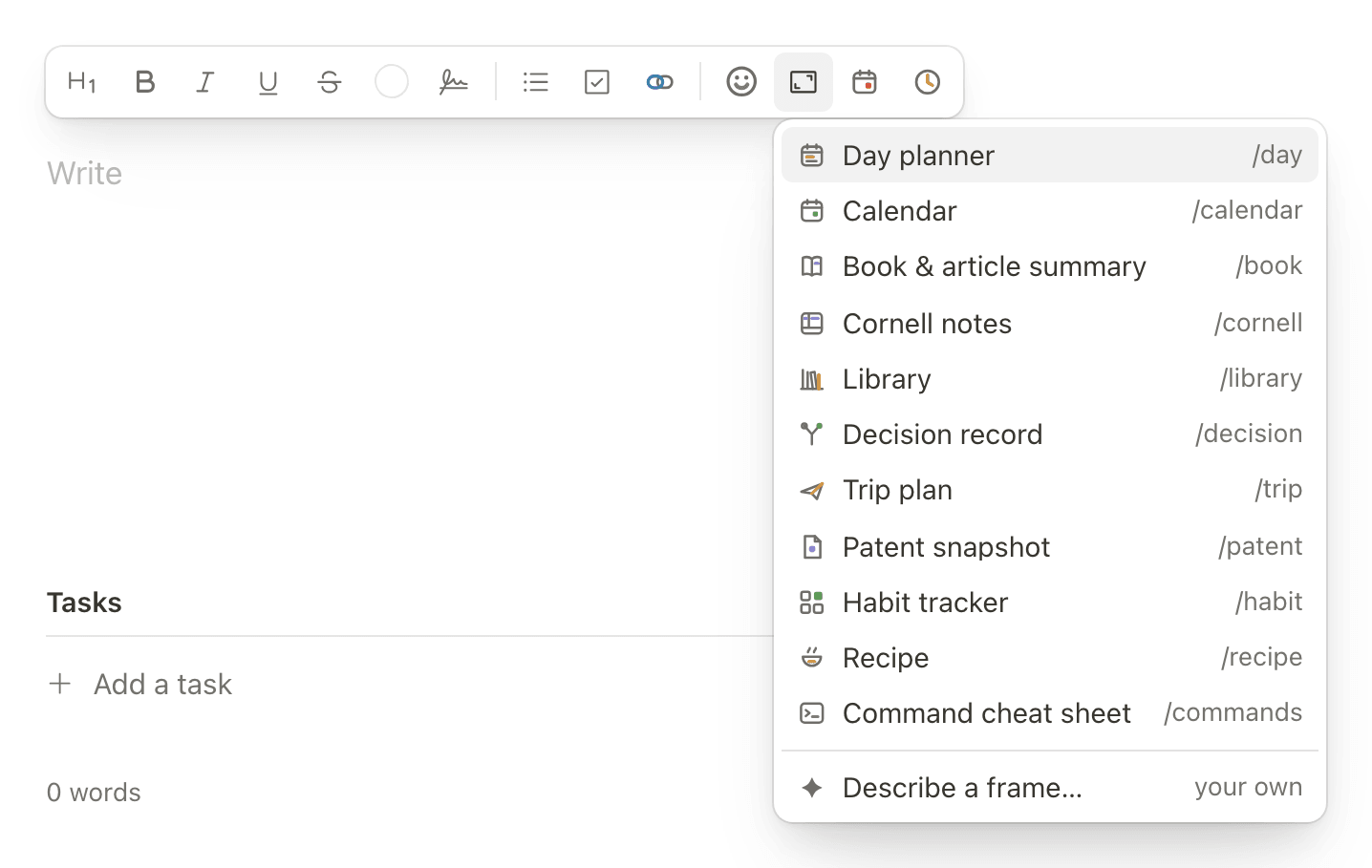
The Frames menu
In the formatting bar, beside the emoji: every frame, and Describe a frame…
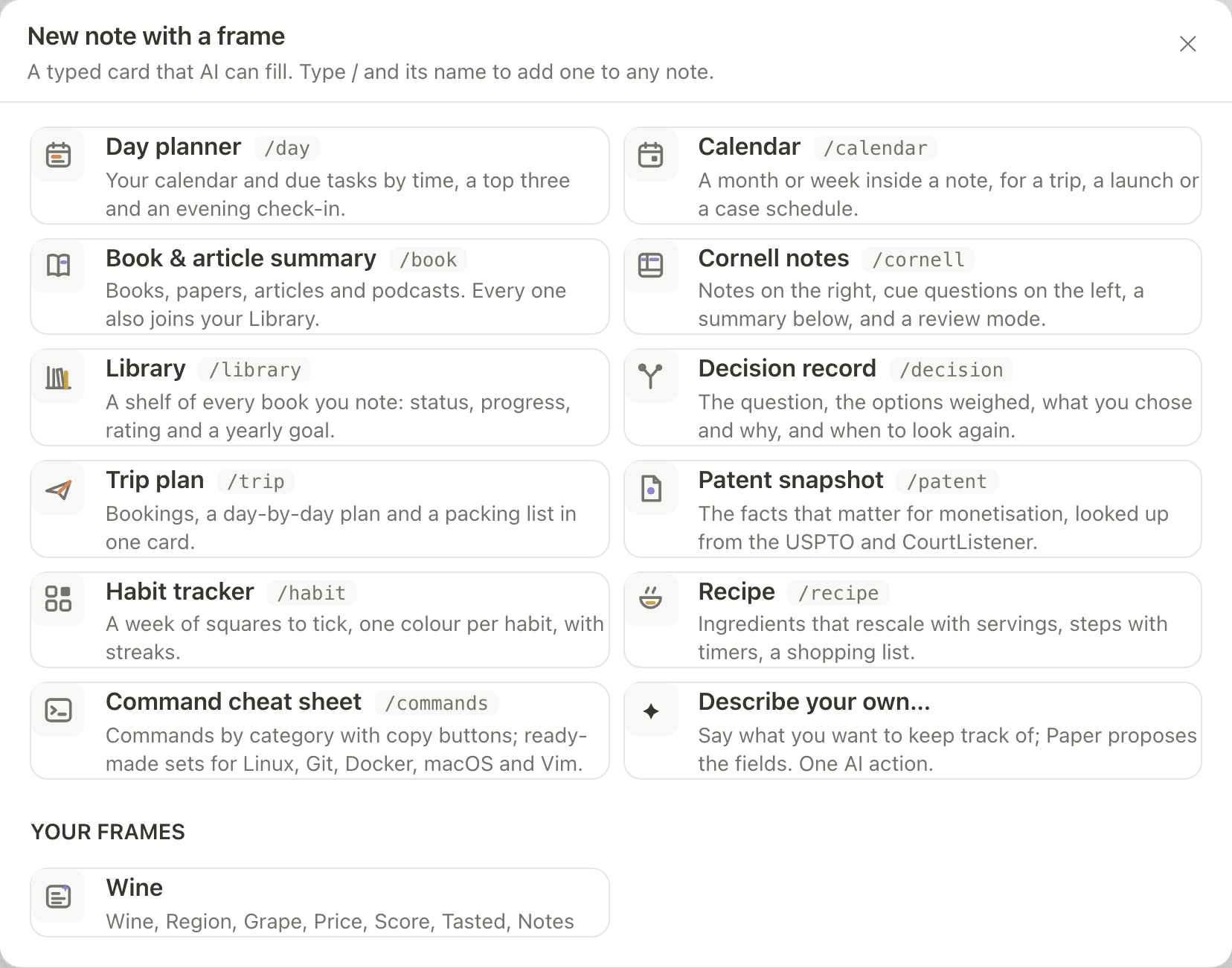
New › With a frame…
From the New menu: a new note that starts with the frame you pick.


Privacy
What a fill reads, and where it goes.
One action, nothing kept without you
Each fill is one AI action. Its suggestions stay out of the note until you keep them.
Google data goes only to OpenAI or Anthropic
When a fill reads something that came from Google, such as your Google Calendar for Plan my day, it is sent only to the OpenAI or Anthropic APIs.
Open Library gets only the book
Looking up a book sends only its title, author or ISBN to Open Library, never your notes.
Plain text inside the note
A frame is saved as readable text in its note, so it exports and reads anywhere. Sealed notes are never read for collections.
More in the privacy policy.